
Quick Answer
Many Smart Home Devices have low privacy settings by default, exposing more than users realize, including cameras, speakers, and personal data. A few tweaks, from passwords to app permissions, can make all the difference in limiting potential data collection and unauthorized access.
Smart devices have gradually replaced tasks like lighting, playing music, checking front doors, and listening for commands in everyday life without people knowing. Few people consider what these gadgets gather, save, and share on our behalf.
Manufacturers typically ship most smart home devices with default settings that offer convenience. In most cases, they share far more data and information with other manufacturers and third parties than most customers realize or would ever approve.
These measures help fill many of those gaps in seconds or minutes per device, with little special technical knowledge, additional tools, or extra equipment.
Most smart devices are set up the way manufacturers think they should be: adding functionality and convenience, not worrying about the privacy of the person using them day to day.
There are a couple of basic actions that you want to watch out for:
Wi-Fi keeps dropping on your home network, which is usually the case if there seems to be no use. This can happen not only because of privacy issues but also because your home network’s capacity is being tested by data transmission from unmanaged gadgets.
These settings can make the difference in your household’s overall privacy.
If all devices connect to the same network as a personal laptop and phone, one compromised device could cause far-reaching damage later. A dedicated guest network also keeps smart devices separate from more sensitive personal data and files.
A newer router makes this much easier than ever, and the emerging capabilities of WiFi 7 vs WiFi 6. This could decide whether multiple separated networks can operate efficiently and seamlessly at the same time without slowdowns.
Smart devices typically don’t indicate when they need repair, and security or privacy updates can sit unapplied for months. With a reminder, you can stay up to date regularly so you don’t fall behind schedule.
Outdated Smart devices may also run inefficient background processes that consume network bandwidth, taking away bandwidth needed for heavy tasks like 8K Gaming.
Often, default passwords are the same across thousands of devices from the same manufacturer. This makes them one of the easiest ways for anyone trying to gain unauthorized access. This modification of just one setting shuts down a huge, and often overlooked, gap in security many homes have that they may not even consider addressing with home Wi-Fi help products.
With this single adjustment, you’ve removed one of the most common ways outside attackers can gain a stealthy foothold in a relatively secure home network.
Many smart speakers, cameras, and other devices stay on longer than they should, listening or recording when you don’t want them to or don’t think about it. Turning off features when you aren’t using them meaningfully reduces data-collection traffic over time.
Those minutes of downtime can add up and make a definite difference in the amount of audio-visual content stored or sent from within the house.
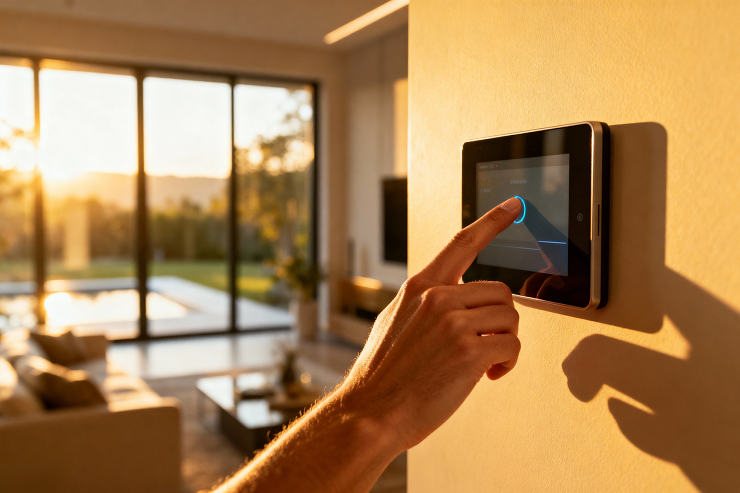
All connected applications request specific access levels, and many include more than they need to function. Reviewing these permissions regularly helps avoid unnecessary data leakage.
Reducing unnecessary permissions keeps most personal data on the device and away from external servers.
Of all the things you can do to customize your device, privacy settings are often the last thing you think about when you set it up to work as it should. Still, this customization can cost you peace of mind and security.
A team at Nerd Alert will review and adjust the privacy settings on every connected gadget, helping seal breaches you might not even consider.
Contact us today to secure your smart home devices and protect your family’s privacy.
ARE SMART HOME PRIVACY SETTINGS REQUIRED TO BE MONITORED MORE THAN ONCE?
Yes, some settings can be reset when new features and software updates are installed, so reviewing them periodically helps ensure you don’t miss anything that has changed covertly.
WHEN MUTED, CAN VOICE ASSISTANTS ALWAYS LISTEN?
Muted devices typically turn off all audio processing, but you should verify this individually in each device’s privacy settings.
IN REAL USE, DOES USING A GUEST NETWORK SLOW MY PRIMARY DEVICES?
A guest network set up correctly shouldn’t affect the speed of primary devices much, especially on newer routers designed for multiple networks.

I’m a Nerd and very proud of it! I love to write about anything Tech related. Subscribe to our blog for helpful tips, tricks & news.