
Quick Answer
Smart TV buffering usually comes from weak WiFi, heavy network congestion, outdated software or a slow internet plan. Moving the router closer, restarting the device, and pausing background downloads on other smart home devices can fix many instances in minutes without replacing anything.
A spinning wheel in the middle of your favorite scene can disrupt a good movie night faster than anything. That’s buffering, and it feels random or unpredictable. However, it often happens for specific reasons. The signal may fail to reach the device, or your network or the television itself may be overloaded.
Part of that confusion comes from how a modern television behaves like every other smart home device on the network. It runs its own software, update schedules, and connection habits instead of acting like a simple screen that displays what it is sent.
The causes are much easier to discover once you know where to look. Most fixes take only a couple of minutes and require no technical prowess, special tools or new equipment.
All streams travel through a distant server with the help of an internet provider, your router and your WiFi signal before they reach your screen. A slowdown at any point along that route leads to buffering.
A few weak links along the route cause most buffering issues. They can be:
When one of these links becomes weak, you will notice your WiFi keeps dropping right as the video stalls. This indicates the issue is in the connection, not the streaming app or the TV.
Here are a couple of real causes of a buffering TV, and each one affects your daily viewing experience at home.
WiFi signals can weaken quickly because of walls, floors, and distance. A TV that’s mounted in a far-off corner of the home often receives the worst of it. A weaker signal forces the stream to pause while your TV waits for sufficient data to continue.
Once a signal issue is confirmed, a few simple fixes, such as moving the router closer or switching to a stronger WiFi band, can help. You can also get support from professional home WiFi help, as experts can detect weak spots and dead zones you might miss.
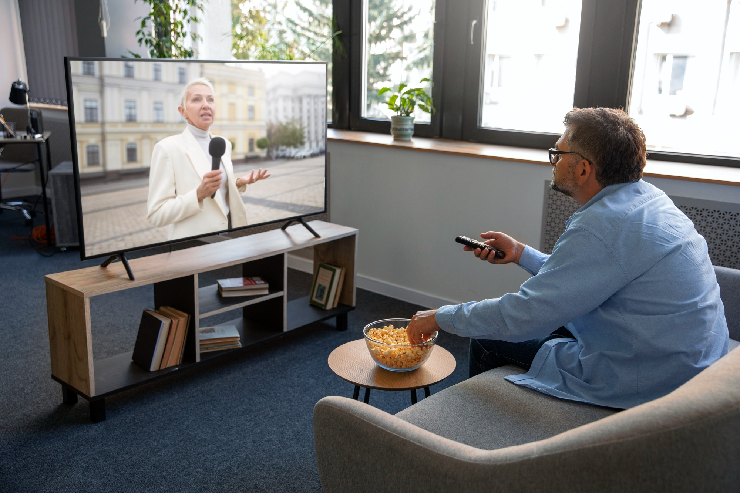
Smart TVs run software that may need updates. Older versions may process video poorly or conflict with apps after updates. Over time, app data can pile up and slow playback, even with a good connection.
If you spend a couple of minutes on maintenance each month, you can slow down your television and prevent stuttering. Often, people blame their internet provider, which causes frustration and unnecessary calls.
An older router may have handled one or two devices. However, today’s households have many devices. So, they can struggle with newer models. Older models limit each device’s speed because they distribute their limited capacity across multiple devices. This affects streaming high-quality TV.
When you’re looking to upgrade, knowing the difference between WiFi 7 and WiFi 6 can help you decide whether newer hardware will improve streaming in your home or be an unnecessary expense.
Most nights, your TV does not have the network to itself because phones, laptops, tablets and consoles all pull data. When another device in your home downloads a large file or is on a video call, it can silently starve the TV of the speed it needs to keep playing.
Intense activities such as 8K gaming may utilize a sizeable portion of a connection on their own; pausing them at movie time keeps the movie stream running smoothly for everyone watching.

As the resolution increases, the amount of data needed every second also increases substantially. A plan that handles standard video without issue may not handle the highest settings. When the streaming service requests more data than your connection can provide, the picture freezes while it catches up.
Reducing the resolution by one step eliminates buffering in most cases. The loss in picture quality would be hardly noticeable on most screen sizes. Also, it frees up bandwidth for everyone else in the home.
Most of the time, buffering doesn’t fix itself. If you’re ignoring it, you’re putting up with a frustrating experience night after night. What’s more, the cause is often quite simple to find and fix.
At Nerd Alert, we help pinpoint the real cause of your streaming problems. If your stream keeps stalling, the issue could be your signal or router. It may also be your network setup. With our help, you can ensure every screen in your household works the way it should, with as few interruptions as possible.
Contact us today to restore your streaming services and leave buffering behind for good.
DOES A WIRED CONNECTION STOP BUFFERING COMPLETELY?
A cable removes wireless interference and is the most reliable option for a television, though it cannot fix a slow internet plan or an overloaded provider connection.
DOES A VPN CAUSE BUFFERING ON A SMART TV?
It can, because a VPN routes traffic through an extra server and adds encryption overhead, so switching it off while streaming usually restores normal speeds and removes the delay.
WILL A STREAMING STICK FIX A SLOW SMART TV?
Often yes, since a newer streaming stick has faster hardware and updated software than an older built-in system, which helps apps load quickly and play smoothly without stalling.

I’m a Nerd and very proud of it! I love to write about anything Tech related. Subscribe to our blog for helpful tips, tricks & news.