

Smart home devices have evolved from being nice-to-have gadgets to daily essentials. From the connected devices that make our home highly efficient and convenient to smart thermostats that adapt to your schedule to voice assistants that control your lights, the smart home devices offer game-changing effects.
However, given the evident benefits, this raises concerns about the safety of smart home devices. Also, what homeowners should understand before adding internet-connected devices to their homes.
So, in our post today, we are going to drill down into the notable risks like phishing scams, safety considerations, and what you can do to safeguard your home or call technicians.
Smart home devices have direct internet access through Wi-Fi. They interact with cloud servers, mobile apps, and other devices that are connected in order to work best. For instance:
As these devices are highly reliant on internet access, they are vulnerable to great cybersecurity risk unless appropriate safety practices are adhered to.
Although numerous manufacturers are building robust security systems into their products. However, there are still a few gaps that expose them to online risks. The common ones are:
Homeowners often overlook password security when installing smart devices. However, assuming that the default settings are enough. This typically leads numerous homeowners to ask a question: Can smart devices be hacked? Any simple or reused passwords notably increase risks, mainly when multiple devices are sharing the same network and account credentials across platforms.
The common mistakes are:
The initial line of defense is strong authentication, which provides a shield against unauthorized access. Homeowners confused about securing device credentials benefit from professional cybersecurity help in assessing potential risks across connected systems.
Smart devices depend entirely on home internet connectivity, making router security a critical factor. When wireless networks use outdated encryption or weak credentials, attackers often intercept data traffic to connected systems that lack physical access.
Network weaknesses consist of:
Home network security spans the connected devices. Router enhancements provide broader protection against tampering with individual device settings.
Manufacturers release firmware updates that fix identified risks and strengthen the system’s defenses. Whenever homeowners overlook such updates, devices are exposed to publicly documented, actively exploited security flaws.
Risks increase due to:
Frequent updates seal identified security vulnerabilities, enhancing device stability. It has automatic updates, ensuring consistent protection without the need for constant homeowner supervision.
The functionality, personalization, and remote access of smart devices are enhanced by device usage tracking, as devices collect user data. Nevertheless, this data can include recordings, behavioral patterns, or account-related information that could be abused if not properly secured.
Potential privacy concerns include:
Privacy policy information also enables homeowners to make informed decisions. Strong online data protection habits are some of the practices that seek to preserve the privacy of personal recordings and use data by keeping them out of unauthorized access.
In a couple of instances, poorly configured devices have been accessed by unauthorized people through network vulnerabilities or credential theft. Remote access risks escalate when security features are disabled or when login credentials are compromised.
Common access pathways involve:
Numerous remote-access incidents stem from preventable misconfigurations. Enabling two-factor authentication adds an extra layer of verification, reducing unauthorized login attempts.
Not typically, but several smart devices are prone to risks by default since:
The risks increase when several devices get connected to the same network without adequate protection. Knowing the common smart home cybersecurity mistakes to avoid can help homeowners prevent risks before they turn into large-scale security issues.
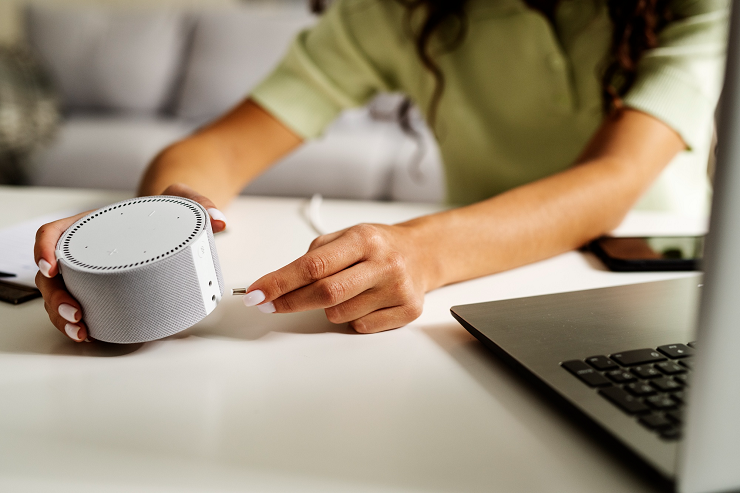
Homeowners play a critical part in safeguarding their devices. Here are a couple of vital safety practices:
Factory credentials are often known and often similar across devices of the same model. Keeping them unchanged often creates an entry point for attackers scanning networks for accessible systems using automated credential-testing tools.
Take immediate action by:
Strong passwords significantly reduce unauthorized access attempts. Treat different smart device accounts like online banking details to maintain reliable protection across your home network.
Using passwords only is not sufficient to prevent access if credentials get leaked through data breaches or phishing. Two-factor authentication adds an extra layer of verification, making it harder for unauthorized users to log in to connected accounts.
Strengthen account security by:
Multi-layered authentication significantly reduces risks. Even if passwords are leaked, additional verification barriers prevent attackers from gaining greater control over your devices.
Smart home device manufacturers release updates to address the security flaws and enhance system performance. Overlooking such patches often makes devices more vulnerable to threats that cybercriminals actively target.
Stay protected through:
Proper routine updates reinforce the system’s defense mechanisms to ensure compatibility with evolving security standards. Consistent upkeep can help prevent any outdated software from being attacked in your network.

Smart devices connected via a router underscore the need for robust network security. Weak encryption or poorly configured router settings expose every connected system, regardless of device protection.
Improve network protection by:
A secure router can help strengthen overall digital safety. Safeguarding your network infrastructure protects every connected device, reducing the widespread risks in your smart home.
Several devices collected more data than what a homeowner will realize. Adjusting and reviewing privacy settings ensures that only key data is shared, stored, or processed, reducing the risk of unauthorized access or misuse.
Manage privacy effectively by:
Proactive privacy management improves control over personal data. Regularly auditing device settings can help balance convenience with responsible data protection practices across connected homes.
Smart home devices can become safe, however, when installed by professional technicians who ensure proper security and adequate maintenance. A lack of expert setup can put even the best device at risk. At Nerd Alert, we ensure your smart home is expertly configured and protected with a secure network. So contact us today to get your smart home device installed or for a security check!
CAN SMART HOME DEVICES SLOW DOWN MY INTERNET CONNECTION?
Various integrated devices could burden bandwidth when router capacity and speeds are low.
DO SMART HOME DEVICES WORK DURING POWER OUTAGES?
The majority of devices stop working without battery backups or generators.
HOW LONG DO SMART HOME DEVICES TYPICALLY RECEIVE SECURITY UPDATES?
Depending on the manufacturer, update support usually lasts between three and five years.

I’m a Nerd and very proud of it! I love to write about anything Tech related. Subscribe to our blog for helpful tips, tricks & news.