
Cyberattacks have infiltrated the lives of every user, not just large organizations or techno users. Personal devices are vulnerable to phishing attacks, malware concealed, and untrustworthy networks. Numerous threats coexist with regular computer actions and remain undetected.
Hacks cannot always be spotted, so it is crucial to learn how to detect signs of a potential hack promptly. Fast awareness will prompt you to act quickly, minimize potential harm, and prevent attackers from compromising your personal information.
Not all strange behavior indicates that your computer has been hacked. Most of the widespread problems appear frightening and are caused by typical system issues. This part can help you differentiate between harmless glitches and actual security issues to prevent unnecessary panic.
Here, we look at:
It is important not to miss the distinction. Malware will have intent and effect, whereas user error or strain will not. Being aware of what to look for so that you know how to read in the next section, about the ” common signs,” and to be able to react properly to the actual risks.
These are tips on the most common signs of a hacked computer, along with practical prevention strategies. Every indicator will help you identify threats early and reinforce your device protection before it is too late.
A sudden slowdown usually signals malicious software activity that is using up system resources. In some cases, sluggishness may be caused by a hidden virus in the background, making it difficult to pinpoint the actual source of the issue. Untrusted software might be running silently in the background, which could hamper your device’s overall stability and performance if it slows, becomes unresponsive, or runs slowly.
Protective Steps to Take
Early detection of slowdowns in the system helps you constrain malicious software, ensuring greater device performance and reducing the risk of acquaintances causing more serious or lasting harm.
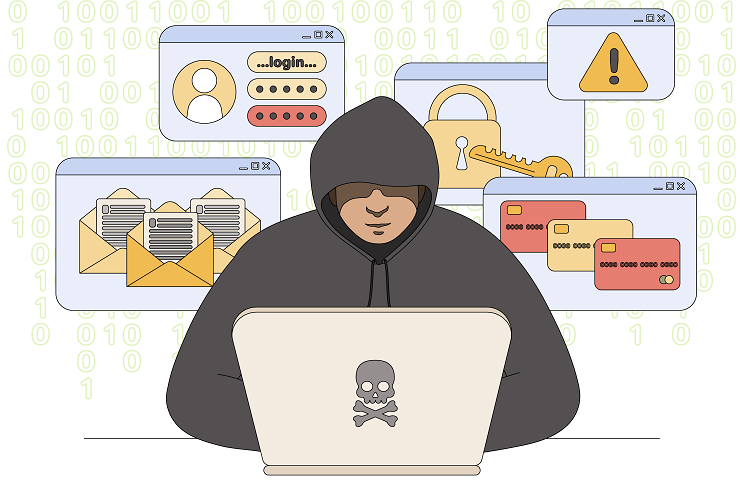
Running programs, shutting down programs, or executing any other tasks without your intervention can signify remote access. Such a behavior implies that attackers have potentially gained interactive control over your system and thus run commands or manipulate your environment.
Protective Steps to Take
With unexpected actions continuing to occur, most users resort to professional tech support services to determine whether the problem is a security breach or a system malfunction.
The presence of adware or browser hijackers can be indicated by unexpected pop-ups, distorted search results, or unrecognized toolbars. Users are expected to remove malware from PCs to prevent the persistence of intrusive pop-ups and to protect their browsing security.
Protective Steps to Take
Early detection of suspicious browser changes safeguards your web usage, minimizes the risk of tracking, and helps prevent the further spread of malware through broken browser tools.
When you enter passwords incorrectly, the attacker might have accessed your accounts and altered your account numbers. This usually follows the theft of credentials, keylogging viruses, or phishing-based intrusion.
Protective Steps to Take
Early detection and resolution of password problems can help you secure your account when left unguarded and prevent attacks by other users once their progress is established.
Any file or software installed on your computer without your permission may indicate malware that is trying to run or propagate. The items can aid malicious functions, gather data, or initiate further attacks on your computer.
Protective Steps to Take
Early removal of the unknown helps stop harmful processes, preventing further serious infections of your system and minimizing the likelihood of additional malicious downloads.
The sight of a webcam automatically turning on when you do not ask it to points to significant unauthorized access. Other malware allows remote viewing, so an attacker can see where you are without leaving any traces of their presence.
Protective Steps to Take
Timely responses to webcam anomalies help preserve privacy, thwart potential spying, and ensure that attackers have no opportunity to spy on or monitor activity in your vicinity without your awareness.
When contacts say they receive odd messages from you, your account or mobile phone might be hacked. The problem is particularly concerning to older people, which is why it is essential to protect seniors from online scams that can start with hacked messaging services.
Protective Steps to Take
Early detection of unauthorized messaging helps prevent damage, preserve your network, and prevent further abuse of your accounts to maliciously distribute or scam people.
Sudden bandwidth spikes, complete unknown connections, or unknown data transfers may indicate malware seeking to communicate with foreign servers. When your home is connected to more than just one device, the right antivirus for your smart home setup can help you curb abnormal network traffic throughout the space.
Protective Steps to Take
Observing network traffic allows you to intercept covert communications, blocking rogue servers before enemy actors can gather valuable data about you or extend their violence.
When your antivirus or firewall restarts automatically without your permission, it is possible that malware is also trying to disable detection protections. Shutting down security devices is also a common tactic used by sophisticated threats.
Protective Steps to Take
Recovery of disabled security tools helps prevent undetected malware actions, maintain steady protection, and minimize the risk of long-term compromise.
The importance of an immediate response reduces destruction. Here is a quick response plan:
If the situation persists, consider professional technical assistance or reset the system altogether.
The ability to notice suspicious computer behavior helps you keep a safer online environment. Expert assistance can make the difference during times of uncertainty. At Nerd Alert, we provide professional care services that are both trusted and reliable, ensuring the security and smooth operation of your devices. If you need help or have concerns about your system, contact us today!
CAN HACKERS ACCESS MY WEBCAM OR MICROPHONE THROUGH MY COMPUTER?
The answer is yes, they can spy remotely, but permission misuse or malware is needed, and not automatic access.
HOW LONG CAN A COMPUTER STAY HACKED WITHOUT THE USER NOTICING?
Other breaches can go unseen for months, particularly the theft of credentials or the surveillance of the background without any clear disruptions.
CAN ANTIVIRUS SOFTWARE FAIL TO DETECT A HACKED COMPUTER?
Advanced threats are not always detected by security software and manual checks, and professional analysis can be required.

I’m a Nerd and very proud of it! I love to write about anything Tech related. Subscribe to our blog for helpful tips, tricks & news.